
Automate Bank Reconciliation: A Controller’s Implementation Guide

TL;DR:
- Automating bank reconciliation is straightforward once bank feeds are connected and deterministic matching rules are configured.
- Most teams clear the majority of routine transactions automatically, focusing human review on exceptions, which reduces manual effort and increases accuracy.
Yes — you can automate bank reconciliation, and the first move is straightforward: connect your bank feeds via API or secure file transfer, then configure deterministic matching rules for your highest-confidence transaction types. Most teams that do this correctly clear the vast majority of routine transactions without manual intervention, leaving a focused exception queue for human review.
What to do right now:
- Connect at least one bank feed (direct API preferred; SFTP with BAI2 or MT940 if your bank lacks API access).
- Define your matching rules before you touch AI features — exact reference ID matches first, then composite key matches (amount + date + reference).
- Pick one high-volume, single-currency operating account and run a 2–4 week pilot.
- Measure match rate, exceptions per 1,000 transactions, and time spent on exceptions daily.
The realistic outcome of a well-run pilot: a meaningful reduction in month-end manual hours, near-real-time cash visibility, and a documented exception workflow your auditors can follow. Automation does not eliminate judgment — it concentrates it where it matters.
Table of Contents
- What automated bank reconciliation actually does — and what it doesn’t
- How the matching engine and data flow actually work
- Manual vs. automated reconciliation — what actually changes for your team
- Benefits and ROI finance leaders should expect
- Which accounts to automate first — a sequencing guide
- Step-by-step implementation plan: from readiness to rollout
- Technology choices: APIs, file feeds, formats, and security
- Human controls and exception management — what auditors will look for
- Common implementation challenges and how to mitigate them
- Checklist for evaluating and selecting a reconciliation solution
- Typical implementation timeline and pricing models (US expectations)
- Key Takeaways
- The controls-first mindset most teams get backwards
- Zivvy gives finance teams a single place to run reconciliation and close
- Useful sources and further reading
- FAQ
What automated bank reconciliation actually does — and what it doesn’t
Automated bank reconciliation uses bank feeds, GL/ERP integration, a matching engine, and exception workflows to compare bank transactions against ledger entries with minimal human intervention. The system ingests transactions continuously or on a scheduled basis, applies configured rules to find matches, and routes unmatched items to a prioritized exception queue for review.
Scope — what’s suitable for automation:
- Operating cash accounts with high transaction volumes and consistent description formats
- Merchant payment processor accounts (Stripe, PayPal, Square) where settlement IDs are structured
- Corporate credit card accounts with clear reference data
- Intercompany clearing accounts with predictable netting patterns
- AR batch receipts and payroll clearing accounts
What automation handles well: routine 1:1 matches, composite key matches, tolerance-based grouping for fees and FX rounding, and flagging of duplicate or missing transactions.
Where human judgment remains necessary: complex many-to-many allocations without reference IDs, policy decisions on disputed items, forensic review of fraud indicators, and any exception where the matching engine’s confidence score falls below your defined threshold. Automation narrows the field — it does not replace the controller.
How the matching engine and data flow actually work
Understanding the technical workflow helps finance and IT teams align on implementation requirements before a vendor conversation.
-
Bank feed ingestion. Transactions arrive via direct bank API, a data aggregator, SFTP file drop, or standard formats — BAI2 (common in the US), MT940/942, or CAMT.053/054 for international accounts. Real-time ingestion via API provides lower latency and richer metadata; SFTP file ingestion works for legacy banking relationships but introduces a lag of hours or overnight.
-
Normalization. Raw bank data is parsed and mapped to a standard schema: transaction date, value date, amount, currency, reference fields, and counterparty. Timezone alignment and value-date vs. booking-date normalization happen here.
-
Matching engine. The engine applies rules in priority order:
- Exact ID match (payment reference = bank reference)
- Composite key match (amount + value date + partial reference)
- Tolerance match (amount within a defined band, e.g., ±$0.50 for FX rounding)
- 1:many and many:1 grouping (batch payments, split settlements)
-
AI-assisted exception handling. Modern reconciliation systems use AI to suggest matches for items the deterministic rules cannot resolve — fuzzy description matching, settlement delay patterns, and naming mismatches. AI assists; it does not decide autonomously.
-
Exception queue. Unmatched items route to a prioritized queue with context: suggested matches, confidence scores, and linked source documents. Reviewers investigate, approve, or escalate.
-
GL posting. Cleared matches post to the ledger automatically or with a single-click approval, depending on your control configuration. Reconciling entries are timestamped with the reviewer’s identity.
Pro Tip: Document every matching rule with a version number and effective date. When an auditor asks why a transaction cleared a specific way in March, you need the rule that was active then — not the one you tuned in April.
Manual vs. automated reconciliation — what actually changes for your team
The practical differences go beyond speed. The risk profile, documentation quality, and staff workload all shift in ways that matter to auditors and CFOs.
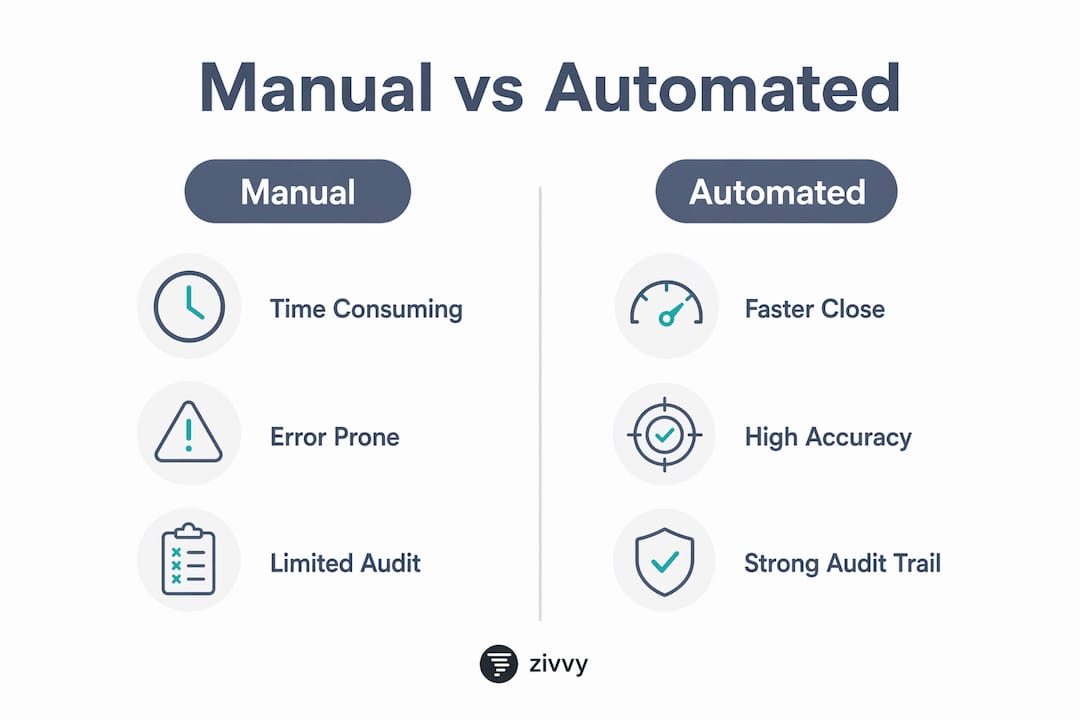
Time and effort. Manual reconciliation of a high-volume account — say, 5,000 transactions per month — can consume several days of staff time at month-end. Automated matching runs the same volume in minutes, with human effort concentrated on the exception queue rather than the full transaction set.

Accuracy and error profile. Manual processes carry transcription risk: copy-paste errors, missed sign reversals, and overlooked timing differences. Automated matching eliminates those error types but introduces a different one — misclassification when rules are poorly configured. Confidence scoring mitigates this by flagging low-certainty matches for review rather than auto-posting them.
Audit trail. Spreadsheets are not a system of record. They lack timestamped reviewer identities, version control, and attached source documents. Automated systems produce a defensible audit trail by design: every cleared match records who approved it, when, under which rule version, and with what supporting evidence attached.
Where human judgment stays. Exception investigation, policy interpretation, and forensic review of anomalies remain human responsibilities. The controller’s role shifts from data entry to analysis — which is where the function adds the most value.
Benefits and ROI finance leaders should expect
The business case for bank reconciliation automation is concrete, not theoretical. Here are the impacts worth quantifying before you present to leadership.
-
Faster month-end close. Many teams report a 3–5 day reduction in month-end close time when automation handles routine matches. That time compounds across every entity and every period.
-
Continuous cash visibility. Treating bank data as a real-time stream rather than a month-end batch means your cash position is current daily — sometimes intraday. That changes how treasury forecasts and how quickly you can act on shortfalls.
-
Lower error rates. Removing manual data entry from the matching process eliminates the most common source of reconciliation errors. Misclassifications from the engine are fewer and more detectable than human transcription errors.
-
Earlier fraud detection. Automated systems flag duplicate transactions, unusual amounts, and unmatched debits in near-real time rather than at month-end — when the window to act is already narrow.
-
Redeployed staff capacity. Hours freed from routine matching can shift to exception analysis, cash forecasting, and process improvement. For a team running four reconciliations manually each month, that redeployment is meaningful.
Simple ROI framing: (staff hours saved per month × fully burdened hourly rate) + reduction in suspense balance carrying costs = annualized savings. Add the value of earlier fraud detection and faster close if your organization tracks those.
KPIs to track from day one: match rate (%), exceptions per 1,000 transactions, days to close, mean time to resolve exceptions, and daily reconciled cash as a percentage of total cash.
Which accounts to automate first — a sequencing guide
Not all accounts are equal candidates for an early pilot. Sequencing matters because a successful first account builds confidence, clean rule sets, and organizational buy-in for the rollout.
Start here (highest ROI, lowest complexity):
- Primary operating cash accounts with high transaction volume and structured reference data
- Merchant processor accounts (Stripe, Square, PayPal) where settlement IDs are machine-generated and consistent
- Corporate credit card accounts with clear cardholder and merchant reference fields
Move here next:
- Intercompany clearing accounts where many-to-one matching is predictable
- AR batch receipt accounts where remittance advice carries payment IDs
- Payroll clearing accounts with consistent batch reference formats
Defer these until rules are mature:
- Accounts with heavy manual adjustments or narrative-only descriptions
- Legacy accounts without structured reference IDs
- Multi-currency accounts with frequent timing mismatches — add these after single-currency rules are stable
The sequencing principle: start with one high-volume, single-currency account. Prove the match rate. Tune the rules. Then expand by complexity, not by account count.
Step-by-step implementation plan: from readiness to rollout
A phased approach reduces risk and produces a cleaner rule set than a big-bang deployment. Each phase has a clear exit criterion before you move forward.
Phase 0: Readiness assessment
- Inventory all accounts by volume, currency, and current reconciliation method.
- Document month-end pain points: which accounts take the most time, which have the most exceptions, and which carry the highest suspense balances.
- Assess bank connectivity options for each account (API availability, supported file formats).
- Identify GL/ERP reference field gaps — missing payment IDs are the single biggest obstacle to high match rates.
Phase 1: Data cleanup and mapping
- Standardize ledger reference fields: payment IDs, invoice numbers, and batch identifiers must populate consistently in your ERP before the matching engine can use them.
- Map bank reference fields to GL payment IDs for your pilot account.
- Build a vendor/payee lookup table to handle naming variations.
Phase 2: Pilot setup
- Select one high-volume, single-currency operating account.
- Configure deterministic matching rules in priority order: exact ID → composite key → tolerance.
- Enable the bank feed and set confidence thresholds (e.g., auto-post above 95%, route to review below).
- Define the exception queue: who owns it, what the SLA is, and how escalation works.
Phase 3: Pilot run (2–4 weeks)
- Monitor match rate daily. A healthy pilot should reach 85%+ within the first week and improve as rules are tuned.
- Adjust tolerance bands and grouping rules based on exception patterns.
- Capture metrics: daily match rate, exceptions volume, time spent on exceptions, and audit evidence completeness.
- Document every rule change with a rationale and effective date.
Phase 4: Scale and governance
- Roll out to additional accounts in order of complexity (see sequencing guide above).
- Define SLAs for exception resolution by account and exception type.
- Lock in segregation of duties: the person recording transactions must not be the same person approving reconciliations.
- Schedule periodic rule reviews — at least quarterly — to catch drift as transaction patterns change.
Technology choices: APIs, file feeds, formats, and security
The integration pattern you choose affects latency, data richness, and operational resilience. Here is a direct comparison of the two primary options.

| Dimension | Direct bank API | SFTP / file ingestion |
|---|---|---|
| Latency | Real-time or near-real-time | Scheduled (hourly to overnight) |
| Metadata richness | High (structured fields, remittance data) | Moderate (format-dependent) |
| Setup complexity | Moderate (OAuth, bank mandate) | Low to moderate (format parsing) |
| Legacy bank support | Limited | Broad |
| Retry / error handling | Webhook-driven, automated | Manual monitoring required |
| Recommended for | High-volume, time-sensitive accounts | Legacy banking relationships |
Supported formats and why they matter:
- BAI2 — the US standard for prior-day and intraday cash reporting; most US commercial banks support it.
- MT940/942 — SWIFT formats common in international and European banking relationships.
- CAMT.053/054 — ISO 20022 XML formats replacing MT940 in many markets; richer structured data.
- CSV/proprietary — bank-specific exports; require custom parsers and are the most fragile option.
Security and compliance checks to require from any vendor:
- Encryption in transit (TLS 1.2+) and at rest
- Least-privilege credentials with IP allowlists for file ingestion
- SOC 2 Type II or ISO 27001 certification
- Bank mandate management (documented authorization for each feed)
- Audit log of all data ingestion events, including failures
For teams evaluating ERP API integration patterns, the key principle is to design for longevity: prefer standard formats and documented APIs over proprietary connectors that create vendor lock-in.
Operational considerations: build retry logic for failed ingestions, normalize value dates to a consistent timezone before matching, and handle large batch deposits with grouping rules rather than forcing 1:1 matches.
Human controls and exception management — what auditors will look for
Automation does not replace dual control. The Washington State Auditor’s Office guidance is direct: segregation of duties and a documented audit trail remain fundamental safeguards even when a matching engine clears the majority of transactions.
Recommended role separation:
- Transaction recording — AP/AR staff or the ERP posting process
- Reconciliation review — a controller or senior accountant who did not originate the transactions
- Approval — a finance manager or CFO for high-value exceptions or period-end sign-off
Audit trail requirements. A reconciled balance is not sufficient evidence. Each cleared exception must carry: a timestamp, the reviewer’s identity, the rule version that matched it, and an attached source document (bank statement line, remittance advice, or invoice). These requirements apply whether you are preparing for SOX, a financial statement audit, or an internal controls review.
Exception queue best practices:
- Prioritize by value and age — large, aging exceptions surface first.
- Set SLA-driven escalations: unresolved exceptions should escalate automatically after a defined period.
- Assign suggested owners based on account or transaction type.
- Require context-rich notes when a reviewer overrides a suggested match.
KPIs for controls health: percentage of reconciliations with attached evidence, average exception resolution time, and confidence-score trending over time (a declining average confidence score signals rule drift).
Pro Tip: Set your exception SLA before go-live, not after. A queue with no SLA becomes a backlog within two weeks — and a backlog is exactly the kind of control gap that surfaces in audits.
Common implementation challenges and how to mitigate them
Every reconciliation automation project hits predictable friction points. Knowing them in advance lets your team prepare mitigations rather than improvise fixes mid-pilot.
Data quality gaps. Missing payment IDs and inconsistent reference fields are the most common reason match rates stall below 80%. Mitigation: run a ledger enrichment pass before the pilot — populate payment IDs in your ERP for at least 90 days of historical transactions, and build a vendor lookup table to normalize payee names.
Connectivity gaps. Not every bank offers API access, particularly regional and community banks. Mitigation: plan for scheduled SFTP ingestion as a fallback, and include bank mandate setup time in your project plan — this step often takes longer than expected.
Timing and FX mismatches. Value date vs. booking date differences and fee deductions from gross settlement amounts cause false negatives in exact-match rules. Mitigation: add a two-step matching pass — first attempt exact match, then apply tolerance rules for amounts within a defined band and date range.
Overreliance on AI. AI-assisted matching is powerful for edge cases, but using it as the primary strategy creates a black-box process that is difficult to audit and explain. Mitigation: define deterministic rules first; use AI only for the residual exception set, and require explainability (the system must show why it suggested a match, not just that it did).
Scaling pains. When you expand from one account to ten, overly strict rules generate exception volumes that overwhelm the review team. Mitigation: tune confidence thresholds iteratively — start conservative, then relax rules for transaction types that consistently clear correctly.
Checklist for evaluating and selecting a reconciliation solution
Vendor demos are optimized to show the happy path. Your evaluation should stress-test the edges.
Demo tasks to request — run these yourself:
- Set up a live bank feed for a test account and show the first ingestion cycle.
- Demonstrate a many-to-one match: one bank credit matched to multiple invoice payments.
- Route a simulated exception through the queue, assign it, resolve it, and show the audit trail entry.
- Attach a source document to a cleared exception and show how it appears in the audit log.
- Pull a match-rate report and an exception-aging report for a sample period.
Procurement checklist:
- Connectivity options: direct API, SFTP, BAI2, MT940, CAMT.053 support
- Pre-built ERP connectors (NetSuite, QuickBooks, SAP, Dynamics 365, or your specific GL)
- SOC 2 Type II or ISO 27001 certification — ask for the report, not just the badge
- SLA commitments for ingestion latency and support response
- Pricing model clarity: per-seat, per-account, per-connection, or volume-based
Evaluation criteria:
- Out-of-the-box matching rule flexibility (can you configure tolerance bands and grouping rules without custom code?)
- Audit trail completeness (timestamp, reviewer identity, rule version, attached documents)
- Reporting: match rate trends, exception aging, and confidence-score distribution
- Vendor support for custom parsers when your bank uses a proprietary format
Proof-of-concept task. Before any procurement decision, run a trial on a sample of your own transactions. Measure match rate, exception volume, and mean time to resolve. Vendor-supplied demo data tells you nothing about how the system handles your specific reference field patterns.
Typical implementation timeline and pricing models (US expectations)
| Phase | Typical duration | Key drivers of variance |
|---|---|---|
| Pilot (1 account) | 2–6 weeks | Bank connectivity setup, data quality, rule tuning |
| Initial rollout (2–5 accounts) | 1–3 months | Number of bank connections, format diversity |
| Full enterprise scale | 3–6 months | Multi-currency, multi-entity, ERP complexity |
| Ongoing rule maintenance | Continuous | Transaction pattern changes, new accounts |
Common pricing models in the US market:
- Per-seat subscription — common for platforms where multiple team members access the reconciliation module; scales with headcount.
- Per-account or per-connection fees — charges based on the number of bank accounts or data feeds connected; predictable for stable account counts.
- Volume-based transaction pricing — fees tied to transaction count; cost-effective at low volumes, expensive at scale.
- Implementation and consulting fees — common for enterprise deployments requiring custom parsers, ERP integration work, or data migration.
What drives cost up: number of bank connections, need for custom format parsing, multi-currency support, and audit/compliance feature requirements (SOX evidence packages, role-based access controls).
Budgeting guidance: allow an implementation buffer of 10–25% of your estimated effort for mapping work and exception-rule tuning. These tasks consistently take longer than initial scoping suggests, particularly when ledger reference data needs enrichment before the pilot can start.
Key Takeaways
Automating bank reconciliation is achievable for most finance teams when you start with a focused pilot, define deterministic matching rules before enabling AI features, and treat controls and audit trails as first-class requirements from day one.
| Point | Details |
|---|---|
| Start with a focused pilot | Choose one high-volume, single-currency account and run a 2–4 week pilot before scaling. |
| Match rates at a very high level are realistic | Teams with clean reference data and well-configured rules typically clear the vast majority of routine transactions automatically. |
| Segregation of duties is non-negotiable | Recording, reconciliation review, and approval must be separate roles even when automation handles matching. |
| Audit trail completeness matters | Each cleared exception needs a timestamp, reviewer identity, rule version, and attached source document. |
| Zivvy supports the full workflow | Zivvy’s finance module includes bank feed integrations, configurable matching rules, exception workflows with audit trails, and ERP posting connectors for growing teams. |
The controls-first mindset most teams get backwards
Most reconciliation automation projects are sold as speed tools. The pitch is compelling: close faster, match more, free up staff. All of that is true. But the teams that get the most durable value from automation are the ones that treat it as a controls program first and a speed tool second.
Here is what that means in practice. When you configure automation primarily to maximize match rate, you tend to relax rules too early, skip the audit trail setup, and defer the segregation-of-duties conversation until an auditor raises it. The result is a fast process with a fragile control environment. When you configure automation to produce a defensible, auditable record of every transaction decision, the speed follows naturally — because a well-governed process is also a well-designed one.
The other thing most guides understate: ledger hygiene is the single biggest lever on match rate, and it is entirely within your control before you buy anything. If your ERP does not consistently populate payment reference IDs on outgoing transactions, no matching engine will save you. Fix the upstream data capture first. A two-week sprint to enrich reference fields in your GL will do more for your eventual match rate than any AI feature a vendor demonstrates.
Finally, the pilot is not a proof of concept for the vendor — it is a proof of concept for your own data. Run it with your actual transactions, your actual bank formats, and your actual exception patterns. The match rate you see in week two of a pilot on your own data is the number that matters for your business case.
Zivvy gives finance teams a single place to run reconciliation and close
Finance teams that have consolidated their stack know the real cost of fragmented tools: reconciliation data in one system, GL entries in another, and exception notes in a spreadsheet no one else can find. Zivvy’s finance module connects bank feeds, configurable matching rules, exception workflows with full audit trails, and ERP posting in one platform — so your team is not stitching together three tools to complete a single close task.
For controllers evaluating automation fit, Zivvy’s seat-based pricing means you pay for the team members who actually use the platform, not for modules you don’t need yet. Pre-built integrations with Stripe, QuickBooks, Xero, and Shopify cover the merchant and payment processor accounts that are typically your highest-volume reconciliation targets. The payments processor add-on handles net settlement posting directly, so processor fees and gross receipts reconcile without manual adjustment.
The practical next step: take one high-volume account, connect the bank feed in Zivvy, and measure your match rate and exception volume over two weeks. That pilot gives you a real number to bring to your CFO — not a vendor’s benchmark. Start your evaluation at Zivvy for Finance Teams.
Useful sources and further reading
Controllers looking to go deeper on standards, formats, and governance have a short list of authoritative references worth bookmarking.
- 2026 Best Practices for Bank Reconciliations — Washington State Auditor’s Office — the most current US public-sector guidance on segregation of duties, audit trail requirements, and reconciliation controls. Directly applicable to private-sector controllers preparing for SOX or external audits.
- Mastering Bank Account Reconciliation — Cash Management Leadership Institute — treasury-focused best practices on exception cadence, escalation workflows, and daily discrepancy flagging.
- Bank Reconciliation Best Practices — BPR Global — practical guidance on proof-of-concept evaluation, continuous reconciliation scaling, and multi-account prioritization.
- Bank Reconciliation Automation — NAYA Finance — technical overview of ingestion options, supported formats (CAMT, MT940, BAI2), and real-time vs. batch reconciliation tradeoffs.
- Automated Reconciliation — Nanonets — covers AI-assisted matching capabilities, vendor accuracy claims, and ERP integration considerations for NetSuite, QuickBooks, and SAP environments.
FAQ
Can you automate bank reconciliation?
Yes. Bank reconciliation can be automated using bank feed integrations, a matching engine with configured rules, and exception workflows. Most teams with clean reference data achieve match rates of 90% or higher on routine transactions, with human review reserved for exceptions.
Can AI do bank reconciliation on its own?
AI can assist with fuzzy matching and exception suggestions, but it should not operate as the sole matching strategy. Deterministic rules must be defined first to preserve auditability; AI handles the residual exceptions that rules cannot resolve.
Which tool is best for automated bank reconciliation?
The best fit depends on your ERP, bank connectivity options, and transaction volume. Evaluate vendors by running a proof-of-concept on your own transaction sample and measuring match rate, exception volume, and time-to-resolve — not by demo data alone. Zivvy is a strong option for founder-led and growing finance teams that need bank feed integration, configurable matching, and audit trail capture in a single platform.
How long does it take to implement bank reconciliation automation?
A single-account pilot typically takes 2–6 weeks. Rolling out to 2–5 accounts takes 1–3 months, and full enterprise scale across multiple entities and currencies typically runs 3–6 months, depending on ERP complexity and the number of bank connections required.
What is the biggest risk in automating bank reconciliation?
The most common failure point is poor upstream data quality — specifically, missing or inconsistent payment reference IDs in the GL. No matching engine compensates for reference fields that are blank or free-text. Fix ledger reference capture before configuring automation rules, and the match rate improvement follows.
Recommended
- Accounts Receivable Playbook for SMBs That Hate Chasing Payments | Zivvy Blog
- Accounts Payable Controls That Prevent Surprise Spend | Zivvy Blog
- AI in ERP: Practical Automations That Save Hours Without Hallucinating Your Books | Zivvy Blog
- AI Draft Invoices Safely: Human-in-the-Loop Patterns for Finance | Zivvy Blog