
Best FreshBooks Alternatives for Small Businesses & Freelancers

If you’re evaluating FreshBooks alternatives, the short answer is this: Zivvy is the recommended pick for founder-led teams that need accounting, operations, HR, and payroll in one place. For freelancers or very small teams with simpler needs, Wave Accounting (free), Zoho Books (low-cost accounting-first), or Invoice Simple (fast invoicing) are the most practical starting points.
Here’s the shortlist at a glance:
- Zivvy — best for founder-led teams that want integrated accounting, CRM, HR, and inventory without juggling four tools
- QuickBooks Online — best for teams whose accountants or bookkeepers already live in the QuickBooks ecosystem
- Xero — best for multi-entity businesses and teams that need strong bank reconciliation and reporting depth
- Zoho Books — best for cost-conscious small businesses that want double-entry accounting without a steep price
- Wave Accounting — best free option for solo freelancers with basic invoicing and bookkeeping needs
- ZipBooks — best for freelancers who want a clean, modern UI with a free tier and basic reporting
- Hiveage — best for service businesses that bill multiple clients with recurring invoices
- Expensify — best for teams with heavy expense reporting and receipt management needs
- Invoice Simple — best for sole proprietors who need fast, mobile-first invoicing with minimal setup
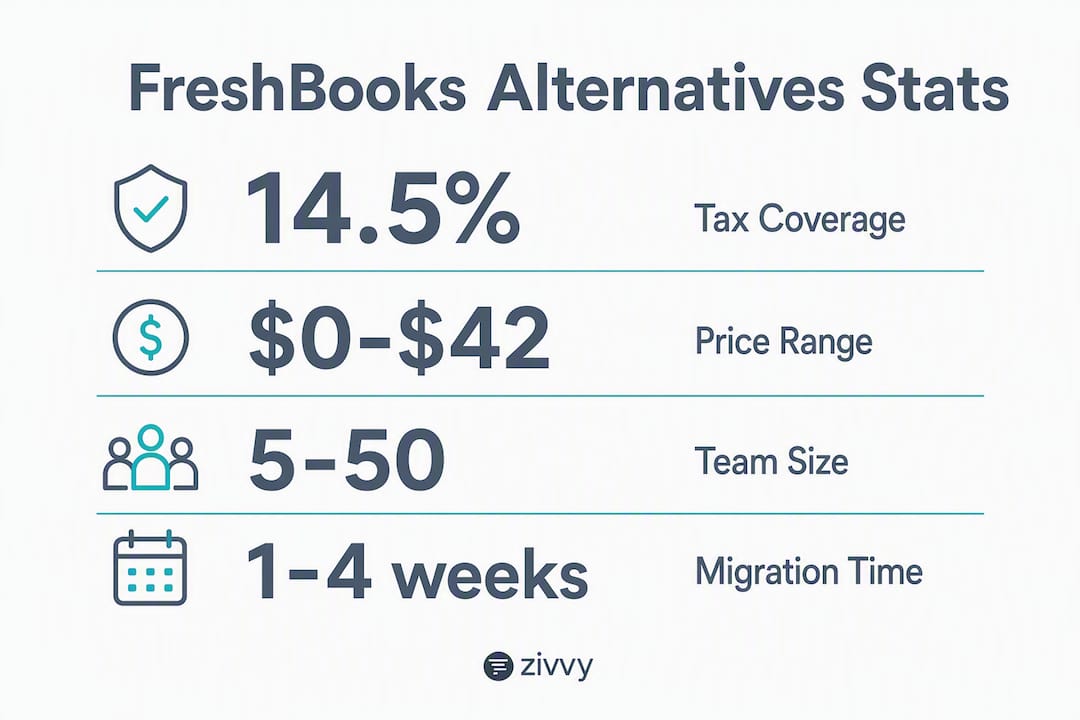
One migration caveat worth setting expectations: moving data off FreshBooks typically takes one to four weeks for most small businesses, depending on how clean your chart of accounts and transaction history are before you start.
Table of Contents
- How do these FreshBooks alternatives compare side by side?
- Quick profiles: what each alternative actually does
- How do you pick the right FreshBooks alternative?
- Why do businesses actually move off FreshBooks?
- What’s the final verdict on FreshBooks alternatives?
- Key Takeaways
- The case for treating accounting software as operational infrastructure
- Zivvy covers what FreshBooks leaves out
- Useful sources
- FAQ
How do these FreshBooks alternatives compare side by side?
The table below maps each tool across the dimensions that matter most when you’re making a real buying decision.
| Tool | Best For | Free Tier | Starting Price | Reporting Depth | Payroll (US) | Inventory | Mobile App | Migration Ease |
|---|---|---|---|---|---|---|---|---|
| Zivvy | Founder-led teams needing ops + accounting | Yes (limited) | Seat-based; see Zivvy pricing | High (dashboard, tax, multi-entity) | Yes (integrated HR/payroll) | Yes | Strong | Moderate |
| QuickBooks Online | Teams with existing accountant relationships | No | ~$35/mo (Simple Start) | High | Via Gusto/QBO Payroll add-on | Yes (higher tiers) | Strong | Easy |
| Xero | Multi-entity, bank reconciliation focus | No | ~$15/mo (Early) | High | Via Gusto add-on | Yes (higher tiers) | Strong | Easy |
| Zoho Books | Cost-conscious SMBs, double-entry accounting | Yes (up to $50K/yr revenue) | ~$20/mo | Medium-High | Via Zoho Payroll (US) | Yes | Good | Moderate |
| Wave Accounting | Solo freelancers, basic bookkeeping | Yes (core features) | Free (payroll/payments paid) | Low-Medium | Paid add-on | No | Moderate | Easy |
| ZipBooks | Freelancers wanting clean UI + free tier | Yes | Free–$35/mo | Low-Medium | No native payroll | No | Good | Easy |
| Hiveage | Service businesses, recurring billing | No | ~$19/mo | Low | No native payroll | No | Good | Easy |
| Expensify | Expense-heavy teams, receipt capture | No | ~$5/user/mo | Low (expense-focused) | No native payroll | No | Strong | Easy |
| Invoice Simple | Sole proprietors, mobile invoicing | No | ~$9.99/mo | Low | No | No | Strong | Easy |
| FreshBooks | Freelancers, simple client billing | No | ~$19/mo | Low (7/32 tax features) | Via Gusto integration | No | Strong | N/A |
Pricing callouts to watch:
- Free tiers exist for Zivvy, Zoho Books, and Wave, but payroll, advanced reporting, and multi-entity features are paid add-ons or higher-tier unlocks across every platform.
- Per-user fees are a common hidden cost. QuickBooks Online and Xero charge per seat at higher tiers; Zivvy’s seat-based model is transparent by design.
- Payroll is almost always an add-on. Only Zivvy includes HR and payroll modules natively. Every other tool on this list routes payroll through a third-party integration (typically Gusto), which adds both cost and a vendor dependency to manage.
Quick profiles: what each alternative actually does
Zivvy
Zivvy is an all-in-one business management platform built for founder-led teams that have outgrown point solutions. Where FreshBooks handles invoicing and basic time tracking, Zivvy covers accounting, CRM, inventory, HR, payroll, manufacturing, and project management in a single product.
Three most relevant features:
- Automated bank reconciliation with a reporting dashboard that surfaces tax, P&L, and multi-entity data in one view
- Seat-based pricing with optional modules, so you pay for what your team actually uses
- Native integrations with Stripe, Shopify, HubSpot, Slack, Salesforce, QuickBooks, Xero, Zapier, and Google Drive
Pros:
- Replaces four or more tools (accounting, CRM, HR, inventory) under one login
- No forced modules; expand the toolset as the business grows
- Payroll and HR are built in, not bolted on via a third-party
Cons:
- More setup than a pure invoicing tool; not the right fit for a solo freelancer who just needs to send five invoices a month
- Free tier is limited; full capability requires a paid plan
Pricing: Free tier available; Pro and Business plans are seat-based. Full details at Zivvy’s pricing page.
Best for: Founder-led startups and small businesses with 5–50 people that need accounting and operations in one place.
Migration note: Export your FreshBooks chart of accounts, client list, open invoices, and transaction history as CSV files before starting. Zivvy’s onboarding covers data import; expect one to two weeks for a clean migration.
QuickBooks Online

QuickBooks Online is the most widely used small-business accounting platform in the US, which matters practically: most US accountants and bookkeepers already know it, reducing onboarding friction on the professional services side.
Three most relevant features:
- Full double-entry accounting with strong tax reporting and bank feeds
- Inventory tracking available on Plus and Advanced tiers
- Large ecosystem of third-party integrations and accountant access
Pros:
- Deep accountant familiarity across the US reduces bookkeeping costs
- Strong reporting and tax compliance coverage
- Mature mobile app with receipt capture and mileage tracking
Cons:
- Per-user fees add up quickly as the team grows
- Payroll requires a separate Gusto or QuickBooks Payroll add-on, which raises total cost of ownership
Pricing: Starts around $35/month (Simple Start); higher tiers unlock inventory and multi-user access.
Best for: Teams whose accountant or bookkeeper is already in the QuickBooks ecosystem.
Migration note: FreshBooks exports invoices and client data as CSV; QuickBooks has an import wizard that handles most of it. Chart-of-accounts mapping is the step that takes the most time.
Xero
Xero is an accounting-first platform with particularly strong bank reconciliation and multi-entity support. It’s a common upgrade path for service businesses that have hit the ceiling on FreshBooks’ reporting.
Three most relevant features:
- Unlimited users on all plans (a meaningful cost advantage over per-seat competitors)
- Strong bank reconciliation with rules-based automation
- Multi-currency and multi-entity support on higher tiers
Pros:
- No per-user fees, which changes the math for growing teams
- Reporting depth well above FreshBooks’ baseline
- Clean, modern interface with a solid mobile app
Cons:
- Payroll requires a Gusto add-on in the US; not native
- The entry-level Early plan caps monthly transactions, which frustrates businesses with higher volume
Pricing: Starts around $15/month (Early); Growing plan around $42/month removes transaction limits.
Best for: Multi-entity businesses or growing service firms that need real accounting depth without per-user fees.
Migration note: Xero’s import tools handle CSV exports from FreshBooks well. Historical transaction import is straightforward; expect a few days of cleanup on the chart of accounts.
Zoho Books
Zoho Books delivers double-entry accounting at a price point that undercuts most of the market, and its free tier (available to businesses under $50,000 in annual revenue) makes it genuinely accessible for early-stage operators.
Three most relevant features:
- Full double-entry accounting with bank reconciliation and GST/VAT/sales tax support
- Native Zoho Payroll integration for US teams
- Inventory management available on paid tiers
Pros:
- Free tier is the most capable free accounting option on this list
- Zoho’s broader app suite (CRM, HR, projects) integrates natively if you’re already in that ecosystem
- Solid reporting for the price
Cons:
- The Zoho ecosystem can feel siloed if you’re not using other Zoho products
- Customer support response times draw mixed reviews at the lower tiers
Pricing: Free up to $50K annual revenue; paid plans start around $20/month.
Best for: Cost-conscious small businesses that want real accounting without paying QuickBooks or Xero prices.
Migration note: Zoho Books accepts CSV imports for contacts, invoices, and transactions. Plan for a half-day of data prep if your FreshBooks records are current.
Wave Accounting
Wave is the go-to free option for solo freelancers and very small businesses. Its core accounting and invoicing features cost nothing; you pay only when you process payments or run payroll.
Three most relevant features:
- Free double-entry accounting with bank connections and reconciliation
- Invoicing and receipt scanning at no cost
- Payroll available as a paid add-on (US-based)
Pros:
- Genuinely free for accounting and invoicing, not a limited trial
- Clean interface that non-accountants can navigate without training
- Handles basic tax reporting well for simple business structures
Cons:
- Reporting depth is limited; not suitable for businesses that need inventory or multi-entity views
- Customer support is minimal on the free tier; paid support plans exist but add cost
Pricing: Free for core features; payroll starts around $20/month plus $6 per employee.
Best for: Solo freelancers or very small businesses with simple bookkeeping needs and a tight budget.
Migration note: Wave imports CSV files for transactions and invoices. Migration from FreshBooks is typically a half-day task for a clean dataset.
ZipBooks
ZipBooks is a modern, cloud-based accounting tool with a free tier that covers invoicing, basic reporting, and client management. It’s a practical step up from spreadsheets for freelancers who want more structure without paying for features they won’t use.
Three most relevant features:
- Free plan covers unlimited invoicing and basic reporting
- Smart tagging for transactions simplifies categorization
- Team access and time tracking on paid tiers
Pros:
- Clean, intuitive UI with a low learning curve
- Free tier is genuinely useful, not artificially limited
- Good fit for freelancers transitioning from spreadsheets
Cons:
- No native payroll; not suitable for teams that need to run US payroll
- Reporting depth is limited compared to accounting-first platforms
Pricing: Free tier available; paid plans from around $15/month.
Best for: Freelancers and solo operators who want clean invoicing and basic accounting without a monthly fee.
Migration note: CSV import handles FreshBooks client and invoice data. Expect minimal friction for simple datasets.
Hiveage
Hiveage focuses on recurring billing and multi-client invoicing for service businesses. It’s not a full accounting system, but it handles the billing workflow cleanly for consultants and agencies with many active client relationships.
Three most relevant features:
- Recurring invoices and subscription billing with automated reminders
- Multi-currency support for international clients
- Time and expense tracking tied directly to invoices
Pros:
- Recurring billing workflow is among the cleanest on this list
- Supports multiple businesses under one account
- Straightforward pricing with no hidden per-client fees
Cons:
- Not a double-entry accounting system; you’ll still need a separate tool for tax reporting
- No payroll functionality
Pricing: Starts around $19/month.
Best for: Consultants and agencies that bill many clients on recurring schedules and don’t yet need full accounting.
Migration note: FreshBooks client and invoice exports map cleanly to Hiveage’s import format. A one-day migration is realistic for most service businesses.
Expensify
Expensify is purpose-built for expense management and receipt capture, not general accounting. It’s the right tool when your primary pain point is tracking team spending and reimbursements, not invoicing or tax reporting.
Three most relevant features:
- SmartScan receipt capture with automatic categorization
- Corporate card reconciliation and approval workflows
- Integrations with QuickBooks, Xero, and NetSuite for accounting sync
Pros:
- Best-in-class receipt capture and expense workflow on this list
- Strong mobile app for teams that expense frequently on the road
- Approval workflows reduce manual review time
Cons:
- Not a standalone accounting system; requires a separate accounting platform for full financial management
- Per-user pricing adds up for larger teams
Pricing: Starts around $5/user/month on the Collect plan.
Best for: Teams with significant travel and expense volume that need expense management layered onto an existing accounting platform.
Migration note: Expensify is typically added alongside an accounting tool rather than replacing one; migration complexity is low.
Invoice Simple
Invoice Simple is a mobile-first invoicing app for sole proprietors who need to send professional invoices quickly from a phone. It’s not an accounting system, and it doesn’t try to be.
Three most relevant features:
- Fast invoice creation from a mobile device in under two minutes
- Estimate-to-invoice conversion for project-based billing
- Basic payment tracking and client history
Pros:
- Fastest time-to-first-invoice on this list
- Very low learning curve; no accounting knowledge required
- Solid mobile app with offline capability
Cons:
- No double-entry accounting, bank reconciliation, or tax reporting
- Not suitable for businesses with employees or inventory
Pricing: Starts around $9.99/month.
Best for: Sole proprietors and tradespeople who need professional invoices on the go and nothing more.
Migration note: FreshBooks invoice exports can be used as reference documents; Invoice Simple doesn’t import historical data, so migration is essentially a fresh start.
FreshBooks (for context)
FreshBooks is an invoicing-first platform built around freelancers and service businesses. It handles time tracking, client billing, and basic expense management well. Where it falls short is tax compliance depth: a Technology Evaluation Centers assessment found FreshBooks supports only 7 out of 32 key tax-compliance and reporting features, compared to a market average of 46.18%. Payroll requires a Gusto integration, and there’s no native inventory or multi-entity support.
Best for: Solo freelancers who need clean invoicing and don’t yet need full accounting.
Pro Tip: Before you trial any alternative, export your FreshBooks data now: chart of accounts, client list, open invoices, and at least 12 months of transaction history. Having clean exports ready cuts your migration timeline by half and gives you a real dataset to test inside each trial account.
How do you pick the right FreshBooks alternative?
The core principle: if your business is growing past solo freelancer status, prioritize accounting-first capabilities over invoicing convenience. Reporting depth and inventory management are the two most common reasons businesses migrate away from lightweight invoicing tools, and both are hard to retrofit once you’re embedded in a system that wasn’t designed for them.
Decision checklist
- Identify your current pain points. Is it limited tax reporting? Per-client pricing that scales poorly? No payroll? No inventory? Name the specific friction before you evaluate anything.
- Define your must-have features. Separate “need on day one” from “need within 12 months.” Payroll, multi-entity reporting, and inventory are the three features most commonly underestimated at purchase.
- Estimate team size and transaction volume. A solo freelancer sending 20 invoices a month has different needs than a 15-person services firm processing hundreds of transactions. Per-user fees change the total cost of ownership math significantly at 5+ seats.
- Map your required integrations. List every tool you currently connect to FreshBooks (Stripe, Shopify, bank feeds, payroll providers). Verify native vs. third-party integration status for each alternative before you commit.
- Calculate total cost of ownership, not just the base price. Payroll add-ons, per-user fees, and advanced reporting unlocks are where hidden costs accumulate. A $15/month base price can become $80/month once you add the features you actually need.
Questions to ask vendors during trials
- Can you show me a sample tax report for a US-based LLC or S-corp?
- What file formats do you export for chart of accounts and transaction history?
- What is your support SLA for billing issues during month-end close?
- Does payroll require a third-party integration, or is it native?
- How are per-seat fees calculated if we add contractors or part-time users?
Red flags to watch for
- Opaque pricing that requires a sales call to get a number
- No export option for chart of accounts (this is a migration trap)
- Missing bank reconciliation tools
- Tax reporting limited to basic income/expense summaries
- Payroll only available as a paid third-party add-on with no native support
Pro Tip: When you start a trial, ask the vendor’s support team to walk you through generating a P&L and a tax summary report using your imported data. If they can’t do it in 20 minutes, that’s your answer about reporting depth.
Why do businesses actually move off FreshBooks?
The most common switch drivers are limited tax and reporting depth, per-user or per-client pricing that scales poorly, and the absence of built-in payroll for teams that are hiring. These aren’t edge cases; they’re structural limitations of an invoicing-first tool.
The tax compliance gap is the most documented. FreshBooks scored low on a Technology Evaluation Centers assessment of key tax-compliance and reporting features, well below the market average. That gap is manageable for a solo freelancer filing a Schedule C. For a services firm with employees, multiple revenue streams, and quarterly estimated taxes, it creates manual workarounds that compound over time.

Payroll dependency is the second structural issue. FreshBooks routes payroll through Gusto, which means your team is managing two vendor relationships, two billing cycles, and two support queues for what should be one workflow. When you add international contractors or employees, that multi-vendor dependency compounds compliance complexity across every country you hire in.
The pricing model also creates friction as teams grow. FreshBooks’ per-client limits on lower tiers mean that adding clients, not just users, can trigger a plan upgrade. Most accounting-first platforms price by seat or by feature tier, which is more predictable for a growing business.
What to test during trials based on these findings:
- Run a sample tax report and verify it covers your entity type (LLC, S-corp, sole proprietor)
- Test the payroll workflow end-to-end, including a contractor payment, before committing
- Calculate the total monthly cost at your current client count and at 2x growth
- Confirm export formats for chart of accounts and transaction history before you sign a contract
Staying on an invoicing-first tool past the point where you need real accounting creates a specific operational risk: your financial data lives in a system that can’t produce the reports your accountant, lender, or investors will ask for. The migration cost only grows the longer you wait, because more historical data needs cleaning and mapping.
What’s the final verdict on FreshBooks alternatives?
For founder-led teams with 5 or more people, or any business that needs payroll, inventory, or multi-entity reporting, Zivvy is the recommended starting point. It’s the only option on this list that covers accounting, CRM, HR, payroll, and inventory in a single product without forcing you to buy modules you don’t need yet. The seat-based pricing model means your cost scales with your team, not with your client count.
For solo freelancers or very small teams that genuinely only need invoicing and basic bookkeeping, Wave (free) or ZipBooks (free tier) are the most practical short-term options. If your accountant is already in the QuickBooks or Xero ecosystem, those platforms reduce professional services friction and are worth trialing first.
Scenario guide
| Business situation | Recommended starting option | Why |
|---|---|---|
| Solo freelancer, no employees | Wave Accounting or ZipBooks | Free tier covers the need; no payroll required |
| Freelancer with an accountant on QuickBooks | QuickBooks Online | Accountant familiarity reduces bookkeeping cost |
| Services firm, 5–20 people, needs payroll | Zivvy | Integrated payroll and accounting; seat-based pricing scales cleanly |
| Founder-led startup scaling to 20+ | Zivvy | Multi-module platform avoids tool sprawl as headcount and complexity grow |
| Multi-entity business, no payroll needed | Xero | Strong multi-entity support; unlimited users on all plans |
| Expense-heavy team, existing accounting platform | Expensify | Best expense workflow; designed to layer onto an existing system |
Next steps to switch safely
- Run a two-week trial with real data — Import your actual chart of accounts and a sample of transactions. Generate a P&L and a tax summary. If the reports don’t match what you expect, the tool isn’t ready for your business.
- Timeline: plan for one to four weeks depending on data cleanliness and the number of integrations you need to reconnect. Most small business migrations land in that range when the data prep is done upfront.
Key Takeaways
The strongest FreshBooks alternatives for growing businesses prioritize accounting-first capabilities, transparent per-seat pricing, and native payroll over invoicing convenience alone.
| Point | Details |
|---|---|
| Tax compliance gap | FreshBooks covers only 7 of 32 key tax-compliance features (14.52%) vs. a market average of 46.18%. |
| Zivvy for founder-led teams | Zivvy integrates accounting, HR, payroll, and inventory in one seat-based platform built for growing teams. |
| Free options exist | Wave and ZipBooks offer genuine free tiers for solo freelancers who don’t yet need payroll or inventory. |
| Hidden costs matter | Payroll add-ons and per-user fees change total cost of ownership; calculate at 2x your current team size. |
| Migration prep | Export chart of accounts, client list, open invoices, and 12 months of transactions before starting any trial. |
The case for treating accounting software as operational infrastructure
The conventional wisdom in this category is that you pick an accounting tool based on price and ease of use, then upgrade later when you “really need” the advanced features. That framing is backwards, and it’s the reason so many founder-led teams end up doing a painful migration at exactly the wrong moment: when the business is growing fast and no one has time to clean up two years of transaction history.
Accounting software is operational infrastructure, not a billing convenience. The tool you choose determines what your P&L looks like, whether your accountant can work efficiently at tax time, whether you can run payroll without a separate vendor relationship, and whether your financial data is actually portable when you need to move it. Choosing an invoicing-first tool because it’s easy to start with is a reasonable short-term decision. Staying on one past the point where you need real reporting is a compounding cost that shows up in accountant hours, manual workarounds, and migration complexity.
The businesses that make this transition smoothly are the ones that treat the software selection as a system-of-record decision, not a convenience purchase. They ask for sample tax reports during trials. They verify export formats before signing. They involve their bookkeeper before committing. That discipline, applied early, is worth more than any feature comparison table.
For most founder-led teams, the right answer is a platform that covers accounting and operations together, so the financial data and the operational data live in the same system. That’s the case for Zivvy, and it’s why the recommendation here isn’t “pick the cheapest option and upgrade later.”
Zivvy covers what FreshBooks leaves out
FreshBooks handles invoicing well. What it doesn’t cover is the operational layer that founder-led teams need as they grow: payroll, inventory, CRM, HR, and reporting that goes beyond a basic P&L. Zivvy fills that gap without requiring you to stitch together four separate tools.
The practical difference is in the seat-based pricing model, which means you’re not paying for modules you haven’t activated yet. Zivvy’s seat-based pricing means you’re not paying for modules you haven’t activated yet. Automated bank reconciliation, a reporting dashboard that covers tax and multi-entity views, and native integrations with Stripe, Shopify, HubSpot, and Slack are all available in one product. Payroll and HR are built in, not routed through a third-party vendor that adds a second billing relationship to manage.
Zivvy isn’t the right fit for every situation. A solo freelancer sending a handful of invoices each month will find Wave or ZipBooks more than sufficient. But if your team is past five people, you’re running payroll, and you need financial reporting your accountant can actually use, the total cost of ownership math changes. Consolidating from four tools to one typically reduces both monthly spend and the time your team spends on manual data reconciliation.
Start with the free tier to import your chart of accounts and test the reporting workflow. If the reports match what your accountant expects, you have your answer. Try Zivvy and see how much of your current tool stack it replaces in the first two weeks.
This article is general information, not professional accounting or legal advice. Confirm current pricing, tax rules, and compliance requirements with your accountant or the relevant software vendor.
Useful sources
The findings and comparisons in this article draw on the following published resources:
- The Top FreshBooks Competitors and Alternatives — TechRepublic: industry analyst perspective on accounting-first vs. invoicing-first migration drivers
- Best FreshBooks Alternatives — NerdWallet: buyer guide shortlist with pricing and feature comparisons
- FreshBooks vs. Competitors: Hidden Costs & Comparison — ITQlick: comparison of add-on and per-user fee structures across the category
- FreshBooks Accounting Software Alternatives — Business.com: migration timelines, mobile app quality, and support responsiveness data from user reviews
FAQ
What are the main downsides of FreshBooks?
FreshBooks covers only 7 of 32 key tax-compliance and reporting features (14.52%) per a Technology Evaluation Centers assessment, well below the market average of 46.18%. It also lacks native payroll, has per-client pricing limits on lower tiers, and doesn’t support inventory or multi-entity reporting.
Is FreshBooks or Xero better for a growing business?
Xero is the stronger choice for a growing business. It offers deeper bank reconciliation, multi-entity support, unlimited users on all plans, and significantly broader tax reporting coverage than FreshBooks.
What is the best free alternative to FreshBooks?
Wave Accounting is the most capable free option, covering double-entry accounting, bank reconciliation, and invoicing at no cost. ZipBooks also offers a useful free tier for freelancers who want clean invoicing and basic reporting.
Does Zivvy replace FreshBooks for a small team?
Yes, for teams of five or more people. Zivvy covers accounting, payroll, HR, CRM, and inventory in one platform, which addresses the reporting and payroll gaps that most businesses hit when they outgrow FreshBooks.
How long does it take to migrate from FreshBooks to a new platform?
Most small businesses complete the migration in one to four weeks, depending on how clean the existing data is. Preparing your chart of accounts, client list, open invoices, and 12 months of transaction history before starting cuts that timeline significantly.