
Best NetSuite Alternatives for Growing Companies

TL;DR:
- Founder-led teams should consider Zivvy, an all-in-one platform offering simplified, seat-based pricing. Mid-market companies may prefer Microsoft Dynamics 365 Business Central or consumption-priced ERPs like Acumatica depending on their specific needs. Carefully assessing operational friction, data migration costs, and partner ecosystems is essential for selecting the best NetSuite alternative.
For founder-led teams and growing mid-market companies, the best NetSuite alternatives are Zivvy (recommended for integrated, seat-based simplicity), a Microsoft-ecosystem cloud ERP (for Microsoft-centric SMBs), a consumption-priced cloud ERP (for user-heavy operations), finance-led cloud financials (for multi-entity services firms), a manufacturing-first platform (for production-heavy operations), a modular open-source stack (for technical teams prioritizing flexibility), a commerce plus inventory platform (for product-led businesses), and a connected Xero-based finance stack (for lean teams that want lower upfront cost). Buyer guidance consistently recommends shortlisting three to four systems and running scripted demos on your own data before committing.
The three most common reasons companies re-evaluate NetSuite are renewal cost uplifts, a need for deeper industry functionality, and a preference for tighter Microsoft 365 integration. If any of those describe your situation, the shortlist below is where to start.
- Founder-led teams (10–150 seats, mixed operations): Evaluate Zivvy first. Integrated sales, inventory, accounting, HR, and manufacturing in one product with seat-based pricing means you pay for what you actually use.
- Microsoft-centric SMBs: A Microsoft-ecosystem ERP wins on predictable per-user licensing, native Power BI reporting, and Office 365 integration. Shortlist it if your team already lives in Teams and Excel.
- User-heavy, transaction-light operations: A consumption-priced cloud ERP can lower total cost of ownership (TCO) materially, but it requires careful transaction-growth monitoring to avoid billing surprises.
- Multi-entity services firms: Finance-led cloud financials deliver the strongest multi-subsidiary consolidation and revenue recognition controls in this tier.
- Production-heavy manufacturers: A manufacturing-first ERP with embedded BOM, production scheduling, and shop-floor controls will outperform general-purpose financial platforms on the shop floor.
Your next step: shortlist three candidates from the table below, build a scripted demo script around your own data, and run each vendor through it before you sign anything.
Table of Contents
- Which NetSuite alternatives should you shortlist first?
- Vendor profiles: what each option actually does well
- How to evaluate a NetSuite alternative
- What does an ERP migration actually cost and how long does it take?
- Key Takeaways
- The shortlist mistake most teams make
- Zivvy covers the checklist for most founder-led teams
- Useful sources and vendor links
- FAQ
Which NetSuite alternatives should you shortlist first?
The table below maps company profile to category, expected pricing shape, and implementation complexity. Use it to narrow your list to three candidates before you spend time on demos.
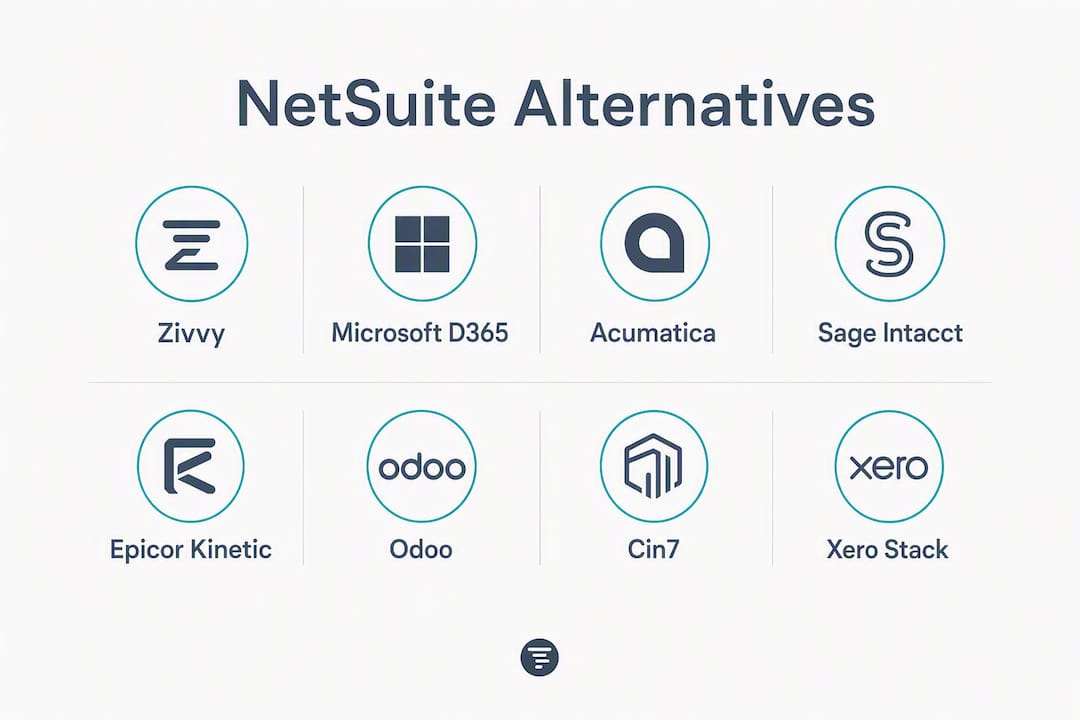
| Category | Best for | Pricing / licensing model | Implementation complexity | Core strengths | Try first if… |
|---|---|---|---|---|---|
| Zivvy | Founder-led teams, 10–150 seats, mixed ops | Seat-based SaaS; free tier, Pro and Business plans; add-ons per workspace | Low to moderate; rapid onboarding | Integrated sales, CRM, inventory, accounting, HR, manufacturing, automation | You want one product replacing 3–4 tools without forced modules |
| Microsoft-ecosystem ERP (e.g., Dynamics 365 Business Central) | Microsoft-centric SMBs with a range of users | Per-user subscription; predictable monthly cost | Moderate; partner-dependent | Power BI reporting, Office 365 integration, strong partner network | Your team already runs on Microsoft 365 |
| Consumption-priced cloud ERP (e.g., Acumatica) | User-heavy, transaction-light teams | Resource/consumption-based; scales with transactions | Moderate to high | Flexible licensing, strong project accounting | You have many users but relatively low transaction volume |
| Finance-led cloud financials (e.g., Sage Intacct) | Multi-entity services firms, nonprofits | Module-based subscription | Moderate | Multi-entity consolidation, revenue recognition, GAAP controls | You manage 3+ legal entities or complex revenue streams |
| Manufacturing-first ERP (e.g., Epicor Kinetic) | Discrete and process manufacturers | Per-user or module-based; mid-to-high TCO | High; industry-specific configuration | BOM, production scheduling, shop-floor controls, MES integration | Manufacturing is your core process, not a secondary workflow |
| Modular open-source ERP (e.g., Odoo) | Technical teams, budget-conscious SMBs | Module-based; community edition free, enterprise priced per user | Moderate; requires technical ownership | Flexibility, broad module library, lower license cost | You have in-house developers and want to configure deeply |
| Commerce + inventory platform (e.g., Cin7) | Product-led businesses, ecommerce/retail | Per-user or per-location subscription | Low to moderate | Inventory management, multi-channel order sync, 3PL integrations | Inventory accuracy and order fulfillment are your primary pain points |
| Connected finance stack (e.g., Xero + add-ons) | Lean teams, early-stage companies | Per-user accounting subscription plus add-on costs | Low; but integration responsibility increases | Modern accounting UX, broad app ecosystem, low entry cost | You want lower upfront cost and are comfortable managing integrations |
Zivvy sits at the top of this list for founder-led teams because it eliminates the “buy modules you don’t need yet” problem. Its seat-based model means a 20-person team pays for 20 seats, not for a bundle of enterprise features they won’t touch for two years. If you’re weighing Zivvy against NetSuite directly, that right-sizing argument is usually where the conversation starts.
Vendor profiles: what each option actually does well
Zivvy
Zivvy is an all-in-one business management platform built specifically for founder-led teams. It integrates sales, CRM, stock, accounting, taxes, HR, payroll, projects, manufacturing, BOMs, fixed assets, quality, subcontracting, reporting, analytics, automation, and a workflow builder into a single product. Native integrations include Slack, Stripe, HubSpot, Shopify, Salesforce, QuickBooks, Zapier, Google Drive, Notion, and Xero, with optional ecommerce sync, digital signing, and payments processing as add-ons.

Best for: Founder-led teams of 10–150 seats replacing a fragmented stack of 3–4 tools.
Pricing shape: Seat-based SaaS with a free tier; Pro and Business plans unlock advanced capabilities; add-ons billed per workspace. No forced modules.
Implementation timeline: Typically weeks, not months, for teams under 50 seats. Clients report onboarding rapidly and consolidating from multiple tools to one.
Pros:
- Single product covers the full operational stack
- Seat-based pricing avoids paying for unused modules
- Automated bank reconciliation reduces manual close work
- Developer-friendly APIs and webhooks for custom integrations
- No long implementation partner dependency for standard deployments
Cons:
- Highly specialized manufacturing MES requirements may need a dedicated partner or integration
- Enterprise-scale multi-entity consolidation across 10+ subsidiaries is better served by finance-led platforms
Best for one-liner: The right first evaluation for any founder-led team that wants one system of record without enterprise-grade complexity or cost.
Microsoft-ecosystem ERP (Dynamics 365 Business Central)
Microsoft Dynamics 365 Business Central is the most frequently shortlisted alternative for Microsoft-centric SMBs, largely because of predictable per-user licensing and native Power BI and Office 365 integration. If your team already runs on Teams, Excel, and Outlook, the productivity overlap is genuine.
Best for: SMBs with 20–300 users in Microsoft-heavy environments; also strong for DACH and other localized accounting markets where partner density matters.

Pricing shape: Per-user monthly subscription; licensing is predictable and scales linearly with headcount.
Implementation timeline: Typically 3–9 months depending on customization depth and partner quality.
Pros:
- Deep Power BI and Excel integration for reporting
- Large partner network in the US and internationally
- Strong local accounting standards support in many markets
Cons:
- Partner-dependent implementation means quality varies significantly by region
- Customization can accumulate technical debt quickly
- Less suited for teams without existing Microsoft infrastructure
Best for one-liner: Microsoft-centric SMBs that want ERP functionality without leaving the Microsoft 365 ecosystem.
Consumption-priced cloud ERP (Acumatica)
Acumatica uses a resource- or consumption-based licensing model, where price tracks usage and transactions rather than named users. That structure can materially lower TCO for user-heavy, transaction-light teams, but it requires careful monitoring of transaction growth to avoid billing surprises. Acumatica is well-regarded for project accounting and distribution.
Best for: Mid-market companies with many concurrent users but moderate transaction volumes; distribution and field service businesses.
Pricing shape: Consumption-based; scales with transaction volume rather than seat count. Requires scenario modeling for 12–36 month growth.
Implementation timeline: 4–9 months; partner-led.
Pros:
- Unlimited users on a single license tier
- Strong project accounting and distribution modules
- Cloud-native with flexible deployment options
Cons:
- Transaction-based billing complicates budget forecasting
- Implementation is partner-dependent; partner quality varies
- Less intuitive for teams accustomed to per-seat SaaS pricing
Best for one-liner: Teams with high user counts and moderate transaction volumes who want to avoid per-seat cost escalation.
Finance-led cloud financials (Sage Intacct)
Sage Intacct is built around multi-entity consolidation, revenue recognition, and GAAP-compliant controls. It’s the strongest option in this tier for services firms managing multiple legal entities or complex revenue streams. The tradeoff is that it covers financials deeply but requires pairing with an operations or inventory partner for end-to-end coverage.
Best for: Multi-entity services firms, nonprofits, and SaaS companies with complex revenue recognition needs.
Pricing shape: Module-based subscription; pricing is not publicly listed and is typically negotiated.
Implementation timeline: 3–6 months for standard deployments; longer for multi-entity configurations.
Pros:
- Best-in-class multi-entity consolidation in the mid-market
- Strong GAAP controls and audit trail
- Native Salesforce integration
Cons:
- Requires an operations or inventory partner for full coverage
- Module-based pricing can escalate as you add capabilities
- Less suited for product-based or manufacturing businesses
Best for one-liner: Services firms and nonprofits that need rigorous financial controls across multiple entities.
Manufacturing-first ERP (Epicor Kinetic)
Independent ERP research notes that manufacturers often choose industry-focused platforms that embed deeper BOM, production scheduling, and shop-floor controls than general-purpose financial platforms. Epicor Kinetic is the representative option in this category for discrete and process manufacturers in the US.
Best for: Discrete and process manufacturers where production scheduling and shop-floor visibility are core requirements.
Pricing shape: Per-user or module-based; mid-to-high TCO relative to general-purpose ERPs.
Implementation timeline: 6–18 months; high configuration complexity.
Pros:
- Deep BOM, MRP, and production scheduling
- Shop-floor data collection and MES integration
- Strong US manufacturing customer base
Cons:
- High implementation complexity and cost
- Less suited for service-heavy or mixed-model businesses
- Partner ecosystem is more specialized and smaller than Microsoft’s
Best for one-liner: Manufacturers for whom production scheduling and shop-floor controls are non-negotiable requirements.
Modular open-source ERP (Odoo)
Odoo offers a broad module library covering CRM, accounting, inventory, manufacturing, HR, and ecommerce. The community edition is free; the enterprise edition is priced per user. Smaller businesses that prioritize lower upfront cost often choose modular stacks, but achieving enterprise-grade controls typically requires stronger internal technical ownership or partner investment.
Best for: Technical teams at budget-conscious SMBs who want deep configurability and are comfortable owning the integration layer.
Pricing shape: Community edition free; enterprise edition per-user subscription. Total cost rises significantly with customization and partner hours.
Implementation timeline: 3–12 months depending on module scope and customization depth.
Pros:
- Broad module coverage in a single vendor
- Lower license cost than most mid-market ERPs
- Active developer community
Cons:
- Requires technical ownership to maintain and upgrade
- Enterprise-grade controls need careful configuration
- Upgrade cycles can be disruptive for heavily customized deployments
Best for one-liner: Technical teams that want maximum configurability and are willing to invest in internal development capacity.
Commerce + inventory platform (Cin7)
Cin7 focuses on inventory management, multi-channel order sync, and 3PL integrations. It’s a strong fit for product-led businesses where inventory accuracy and order fulfillment are the primary pain points, not financial consolidation. Zivvy’s ecommerce sync add-on covers similar ground for teams that want inventory and commerce managed inside their core business platform.
Best for: Ecommerce and retail businesses, 5–100 users, where multi-channel inventory and order management are the core workflow.
Pricing shape: Per-user or per-location subscription; pricing is tiered by feature set.
Implementation timeline: 1–4 months; relatively low complexity for standard configurations.
Pros:
- Strong multi-channel inventory and order sync
- Native 3PL and EDI integrations
- Faster time-to-value than full ERP deployments
Cons:
- Financial reporting depth is limited compared to full ERPs
- Requires pairing with an accounting platform for complete financial coverage
- Less suited for businesses with complex manufacturing or multi-entity needs
Best for one-liner: Product-led businesses that need inventory and order management accuracy before anything else.
Connected finance stack (Xero + add-ons)
For smaller teams prioritizing time-to-value, a connected finance stack built around a modern accounting package plus curated add-ons can be a lower-cost alternative to adopting a full ERP. Xero is the most common anchor in this architecture. The tradeoff is real: integration and data-synchronization responsibilities fall on your team, not a single vendor.
Best for: Early-stage companies and lean teams under 20 users who want modern accounting UX and a broad app ecosystem without full ERP overhead.
Pricing shape: Per-user accounting subscription plus add-on costs; entry cost is low, but total cost rises as the add-on stack grows.
Implementation timeline: Weeks for basic setup; integration complexity grows with each add-on.
Pros:
- Low entry cost and fast setup
- Modern UX and strong bank feed automation
- Broad app marketplace for extending functionality
Cons:
- Integration responsibility increases with every add-on
- Data synchronization across tools creates reconciliation risk
- Scales poorly beyond 20–30 users without significant integration investment
A thoughtfully architected connected finance stack can match operational needs while reducing subscription cost — but it increases integration responsibility in direct proportion to how many tools you add. That tradeoff sounds manageable until your team is spending Friday afternoons reconciling three systems instead of closing the books.
Best for one-liner: Lean, early-stage teams that want low upfront cost and are comfortable managing their own integration layer.
Pro Tip: If you’re evaluating a connected finance stack, map every data flow between tools before you commit. The hidden cost is not the add-on licenses — it’s the engineering and reconciliation hours you’ll spend keeping them in sync.
How to evaluate a NetSuite alternative
The right evaluation framework scores vendors on operational fit first, then licensing model, then implementation risk. Teams that evaluate on price alone are the ones most likely to face budget overruns and timeline extensions six months after go-live.
Prioritized scoring checklist
Score each vendor 1–5 on these dimensions, weighted by your company stage:
- Integrations and APIs: — Does the platform offer documented REST APIs, webhooks, and native connectors to your existing tools? What are the rate limits?
- Licensing model and five-year TCO: Model license fees plus implementation, maintenance, custom integrations, and data cleanup. License fees are often the smallest component of five-year TCO.
Scripted vendor questions for demos
Run every vendor through these questions using your own data, not their demo dataset:
- Load our chart of accounts and run a consolidated P&L across our entities. How long did that take?
- Show us a bank reconciliation on our last 90 days of transactions.
- What is your API rate limit per minute, and how do we monitor usage?
- Give us sandbox access for two weeks before we sign. What is your policy?
- Walk us through your rollback plan if the cutover fails on go-live day.
- What does your renewal uplift look like in years two and three?
- How do you handle mid-year module additions? Is there a price lock?
- Who owns the implementation: your team, a partner, or a hybrid?
- Show us your uptime SLA and the last 12 months of incident history.
- What does your hypercare period look like, and what is included?
- How do you handle data residency requirements for US-based companies?
- Can you show us a migration from a comparable system, with timeline and cost actuals?
Red flags that should trigger a pause
- Renewal uplifts are not disclosed in the contract
- No sandbox access before signing
- Partner ecosystem in your region has fewer than five certified firms
- No native bank-feed automation
- The vendor cannot demonstrate consolidation on your data in the demo
- Implementation timeline estimates are not backed by comparable customer references
For startup-stage teams (under 30 seats), weight licensing model and time-to-value heavily. For growth-stage teams (30–150 seats), weight core process fit and integration depth. For scale-stage operations (150+ seats), weight multi-entity consolidation, partner ecosystem quality, and developer-friendly ERP APIs that will age well as your architecture evolves.
What does an ERP migration actually cost and how long does it take?
The most common mistake in ERP migration planning is treating the license fee as the budget. It isn’t. Implementation partner hours, custom integrations, data cleanup, parallel-run costs, and ongoing maintenance are where the real spend accumulates. Experienced finance leaders allocate 30–50% of the implementation budget to data migration and testing alone on mid-market projects.
Migration phases and typical timelines
| Project complexity | Typical timeline | Primary cost drivers |
|---|---|---|
| Simple (single entity, clean data, standard config) | 3–6 months | Partner hours, data mapping, user training |
| Medium (2–5 entities, moderate customization, some integrations) | 6–12 months | Custom integrations, data cleanup, parallel run, change management |
| Complex (multi-entity, manufacturing, heavy customization, legacy data) | 12–24 months | Partner hours, custom development, data migration, hypercare, rollback planning |
Where hidden costs live
- Data cleanup: Dirty data is the single most common cause of timeline overruns. Audit your chart of accounts, open transactions, and inventory records before you start.
- Custom integrations: Every point-to-point integration you build is a maintenance liability. Prefer native connectors and documented APIs. Tools that support revenue operations automation through standard APIs reduce this risk materially.
- Partner hours: Partner billing rates in the US typically run $150–$300 per hour for certified ERP consultants. A 6-month mid-market project can accumulate 500–1,000 partner hours.
- Parallel run: Running old and new systems simultaneously for 1–3 months adds cost but reduces cutover risk. Budget for it explicitly.
- Ongoing maintenance: Custom configurations require ongoing maintenance with every major release. Factor this into your five-year model.
Pro Tip: If you’re evaluating a consumption- or resource-based licensing model, run scenario models for 12–36 months of transaction growth, not just current headcount. Require usage alerts or caps in the contract to prevent unexpected billing spikes. A vendor that resists this clause is telling you something.
Checklist for a clean financial cutover
- Freeze and reconcile all open transactions in the legacy system before cutover
- Validate opening balances in the new system against audited financials
- Run parallel payroll and bank reconciliation for at least one full period
- Confirm all integrations are live and tested in the sandbox before go-live
- Define a rollback trigger: the specific condition that would cause you to revert
- Assign a named owner for each data domain (GL, AR, AP, inventory, payroll)
For a deeper look at budgeting the full project, the ERP budgeting guide covers how to build a realistic cost model without relying on vendor-supplied ROI projections.
Key Takeaways
The single most important decision in evaluating NetSuite alternatives is to score vendors on operational fit and five-year TCO before you compare headline license prices.
| Point | Details |
|---|---|
| Shortlist by profile, not price | Match your company size, industry, and primary workflow to the right category before comparing vendors. |
| Model five-year TCO | License fees are often the smallest cost component; budget for implementation, integrations, data cleanup, and maintenance. |
| Run scripted demos on your data | Teams that evaluate on vendor demo data miss mismatches; use your own chart of accounts and transactions. |
| Weight criteria by stage | Startups prioritize time-to-value; growth-stage teams prioritize process fit; scale-stage teams prioritize consolidation and API quality. |
| Zivvy for founder-led teams | Zivvy’s seat-based, all-in-one model is the recommended first evaluation for founder-led teams replacing a fragmented tool stack. |
The shortlist mistake most teams make
The most common wrong move in an ERP evaluation is letting the incumbent vendor’s renewal quote set the frame. Teams that start by asking “what is cheaper than NetSuite?” end up shortlisting on price and discovering the fit problem six months into implementation.
The right question is: what is causing operational friction right now? How much manual reconciliation, partner intervention, and custom scripting does your team need to keep the business running? Switch decisions should be driven primarily by operational friction, not licensing headline cost alone.
Two archetypes illustrate this clearly. A 25-person ecommerce company evaluated three platforms on price, selected the cheapest, and spent four months in implementation before discovering the platform’s inventory sync with their 3PL required custom development they hadn’t budgeted for. A 90-person manufacturer did the opposite: they scored vendors on BOM and production scheduling depth first, then modeled TCO. Their implementation ran on time because the fit was right before the contract was signed.
The other underestimated factor is the partner ecosystem. A platform with a thin partner network in your region means longer timelines, higher rates, and fewer references to validate. Shortlists that include multiple architectural approaches produce better long-term fit because they surface the underlying tradeoffs in consolidation, customization, and TCO before you’re locked in.
For teams that are genuinely unsure whether they’re overbuying NetSuite or under-buying an alternative, the NetSuite rightsizing guide is a useful self-diagnostic before you start formal vendor conversations.
Zivvy covers the checklist for most founder-led teams
Most founder-led teams replacing NetSuite don’t need a platform built for 500-person enterprises. They need one system that covers finance, inventory, sales, HR, and manufacturing without forcing them to buy modules they won’t use for two years. That’s exactly what Zivvy is built for.
Zivvy’s seat-based pricing means your cost scales with your team, not with a vendor’s module catalog. Automated bank reconciliation, native integrations with Stripe, Shopify, HubSpot, and Slack, and a built-in workflow builder cover the operational checklist that most founder-led teams actually need. The full feature set includes sales, CRM, inventory, accounting, taxes, HR, payroll, projects, manufacturing, BOMs, fixed assets, quality, and subcontracting in a single product.
Where Zivvy intentionally trades off depth: if your primary requirement is a highly specialized manufacturing MES with shop-floor data collection at scale, a manufacturing-first platform with a dedicated integration partner is the right call. Zivvy covers manufacturing for most growing companies; it is not a replacement for a purpose-built MES.
For teams ready to evaluate, the practical next step is a scripted demo on your own data. See Zivvy’s pricing and plans and start a trial to run your chart of accounts, inventory records, and a bank reconciliation through the platform before you decide.
Useful sources and vendor links
The research and references below support the analysis in this article. Each link points to the primary source or Zivvy resource most relevant to that topic.
- Gartner Peer Insights: NetSuite ERP Alternatives — Verified peer reviews comparing NetSuite to alternatives across evaluation, integration, support, and product capabilities.
- Zivvy vs. NetSuite: SMB Reality Check — Where NetSuite over-indexes for SMBs and how to right-size your ERP decision.
- Total Cost of Ownership for ERP — How to model five-year TCO and where hidden costs accumulate beyond license fees.
- NetSuite Rightsizing: Signs You’re Overbuying — Self-diagnostic for teams unsure whether they need a full ERP or a right-sized alternative.
- Developer-Friendly ERP APIs — Integration patterns and API evaluation criteria for teams building a durable architecture.
- How to Budget for ERP — Practical cost modeling guidance without vendor-supplied ROI projections.
FAQ
Who is NetSuite’s biggest competitor?
Microsoft Dynamics 365 Business Central is the most frequently shortlisted alternative for SMBs, particularly in Microsoft-centric environments. For founder-led teams, Zivvy is a recommended fit because of its integrated, seat-based model.
What are the top ERP systems for growing companies?
The strongest options by category are Zivvy (founder-led teams), Microsoft Dynamics 365 Business Central (Microsoft-centric SMBs), Acumatica (user-heavy operations), Sage Intacct (multi-entity services firms), and Epicor Kinetic (manufacturers). The right choice depends on your primary workflow, entity structure, and five-year TCO model.
Do companies still use NetSuite?
Yes. Oracle reports NetSuite is used by more than 40,000 organizations worldwide. Teams re-evaluate it primarily because of renewal cost uplifts, a need for deeper industry functionality, or a preference for tighter Microsoft 365 integration.
What accounting software is most similar to NetSuite?
Sage Intacct is the closest match for multi-entity financial controls and GAAP compliance. For a broader operational platform at lower cost and complexity, Zivvy covers financials, inventory, HR, and manufacturing in a single seat-based product designed for growing teams.
How long does it take to migrate from NetSuite to an alternative?
Simple single-entity migrations typically take 3–6 months. Medium-complexity projects with multiple entities and integrations run 6–12 months. Complex multi-entity or manufacturing deployments can take 12–24 months. Data cleanup and testing should account for 30–50% of the implementation budget on mid-market projects.