
Best Payroll for Startups in 2026: Founders’ Guide

For most founder-led startups, the right move is an integrated payroll and HR platform with automated tax filing, clear seat-based or per-employee pricing, and onboarding you can complete in a week or less. Trying to manage multi-state payroll manually is one of the fastest ways to create administrative debt that compounds as your team grows. Outsourcing payroll helps startups save time and reduce errors while freeing founders to focus on product and growth.
Here is a practical shortlist to orient your evaluation:
- Zivvy — best for founder-led startups that want payroll, accounting, HR, and CRM in one seat-based platform
- Gusto — best for US-only teams that want a polished, standalone payroll and benefits experience
- Deel / Remote / Plane — best for startups hiring internationally from day one
- QuickBooks Payroll — best for teams already running QuickBooks for accounting
- Rippling / Justworks / ADP / Paychex — best for startups that anticipate rapid headcount growth and need enterprise-grade HR infrastructure early
Pro Tip: Before you demo anything, assign a single internal owner for payroll. Shared ownership is the most common reason payroll cutover stalls.
Start this week: run a 30-day trial on your top pick, gather your tax IDs and employee onboarding documents, and assign that owner before the first vendor call.
Table of Contents
- Which payroll platforms actually work for startups?
- Side-by-side comparison: what matters most for early-stage teams
- How do you choose the right payroll system for your startup?
- Why Zivvy fits founder-led startups better than a point solution
- Key Takeaways
- The payroll decision most founders get wrong
- Zivvy gives founder-led startups one less system to manage
- Helpful sources for your payroll evaluation
Which payroll platforms actually work for startups?
The market breaks into four practical categories. Understanding what each category trades off will save you from replatforming six months after launch.
Founder-first integrated platforms (Zivvy)
Zivvy is built for founder-led teams that want one system of record across payroll, accounting, HR, sales, and inventory. Its seat-based pricing means you pay for the people using the platform, not for a bundle of modules you may never activate. Automated bank reconciliation connects payroll runs directly to your books, and native integrations with Slack, Stripe, HubSpot, and QuickBooks eliminate the manual data transfers that create reconciliation errors. Onboarding typically runs inside two weeks for teams under 25 people.
Pros: Single platform for payroll, HR, and accounting; no forced modules; clear seat-based pricing; fast implementation. Cons: If your primary need is a global EOR with coverage in 150+ countries, a dedicated EOR specialist may cover more territory out of the box.
Payroll-and-benefits specialists (Gusto, Square Payroll, Justworks)
Gusto automates federal, state, and local tax filing and bundles benefits administration and employee onboarding, with pricing based on a base fee plus a per-person charge. It covers all 50 states at the same price, runs unlimited payroll cycles, and offers a mobile app for on-the-go runs. Square Payroll is a lighter option for very early-stage teams, particularly those already using Square for payments. Justworks operates as a professional employer organization (PEO), which means it co-employs your staff and handles benefits pooling.

Gusto pros: Strong US compliance coverage, clean UI, transparent pricing, automated tax filings included in base plans. Gusto cons: International payroll is limited; scaling beyond ~200 employees often prompts a platform switch. Justworks pros: PEO model gives small teams access to large-group benefits rates. Justworks cons: PEO co-employment adds complexity if you later want to separate.
Global EOR and contractor platforms (Deel, Remote, Plane)
These platforms exist for one specific problem: hiring employees or contractors in countries where your startup has no legal entity. Remote lists a standard per-employee rate of $50/month for its HR platform, with a 15% discount for eligible startups. Deel and Plane offer similar EOR and contractor-payment workflows. The trade-off is that EOR fees for full-time employees in most countries run significantly higher than domestic payroll costs, and pricing often varies by country.
Pros: Fast path to compliant international hiring without setting up local entities. Cons: Higher per-employee cost for EOR; domestic US payroll features are secondary to the global workflow.
Accounting-native and enterprise platforms (QuickBooks Payroll, Rippling, ADP, Paychex)
Accounting-native payroll reduces reconciliation friction for teams already inside the Intuit ecosystem. QuickBooks Payroll is the clearest example: if your books live in QuickBooks, adding payroll in the same environment cuts the data transfer step entirely. Rippling and ADP are enterprise-grade platforms that support complex org structures, advanced HR workflows, and large headcount. Paychex sits between the two, offering a full-service option with dedicated payroll specialists.

QuickBooks Payroll pros: Tight bookkeeping integration, familiar interface for existing QuickBooks users. QuickBooks Payroll cons: Less compelling if you are not already in the Intuit ecosystem. Rippling / ADP / Paychex pros: Built for scale; strong compliance infrastructure. Rippling / ADP / Paychex cons: Pricing complexity and implementation timelines can be heavy for a 10-person startup.
Starting price shapes at a glance
| Platform category | Pricing model | Approximate starting shape |
|---|---|---|
| Zivvy | Seat-based subscription | Free tier available; paid plans scale by seats and modules |
| Gusto | Per-employee + base fee | $6/month per person |
| Remote | Per-employee (HR platform) | $50/month per employee (startup discount available) |
| QuickBooks Payroll | Per-employee + base fee | Varies by plan tier |
| Rippling / ADP / Paychex | Custom / per-employee | Quote-based; typically higher for full-service |
| Deel / Plane | Per-contractor or EOR fee | EOR fees vary by country; contractor plans start lower |
Pro Tip: Ask every vendor for a written breakdown of add-on fees before signing. Setup fees, multi-state registration surcharges, and premium support tiers are the three most common sources of surprise costs.
Side-by-side comparison: what matters most for early-stage teams
The matrix below maps the core decision dimensions. “Full” means the feature is included in the base plan. “Partial” means it exists but requires an add-on, a higher tier, or a third-party integration.
| Dimension | Zivvy (integrated) | Gusto (payroll specialist) | Deel / Remote / Plane (global EOR) | QuickBooks Payroll (accounting-native) | Rippling / ADP / Paychex (enterprise) |
|---|---|---|---|---|---|
| Best for | Founder-led startups wanting one platform | US teams prioritizing payroll + benefits UX | Startups hiring internationally | Teams already on QuickBooks | High-growth teams needing enterprise HR |
| Starting price shape | Seat-based; free tier available | $6/person | Per-employee or EOR fee (varies by country) | Per-employee + base fee | Custom / quote-based |
| Automated payroll & tax filing | Full | Full (all 50 states, same price) | Full (domestic + international) | Full (Intuit ecosystem) | Full |
| Contractor support | Full | Partial | Full | Partial | Full |
| EOR / global payroll | Partial (via integrations) | Partial | Full | Partial | Full (ADP/Rippling) |
| Accounting integrations | Full (native + QuickBooks, Xero, Stripe) | Partial (third-party) | Partial | Full (native Intuit) | Partial |
| HR features (onboarding, benefits) | Full | Full | Partial | Partial | Full |
| Scalability | High (seat-based growth) | Medium (best under ~200 employees) | High (global) | Medium | Very high |
| Customer support | Self-service + live support | Live support included | Live support; dedicated for higher tiers | Live support | Dedicated specialist |
| Implementation time | 1–2 weeks | Days to 1 week | 1–3 weeks | Days to 1 week | 2 weeks |
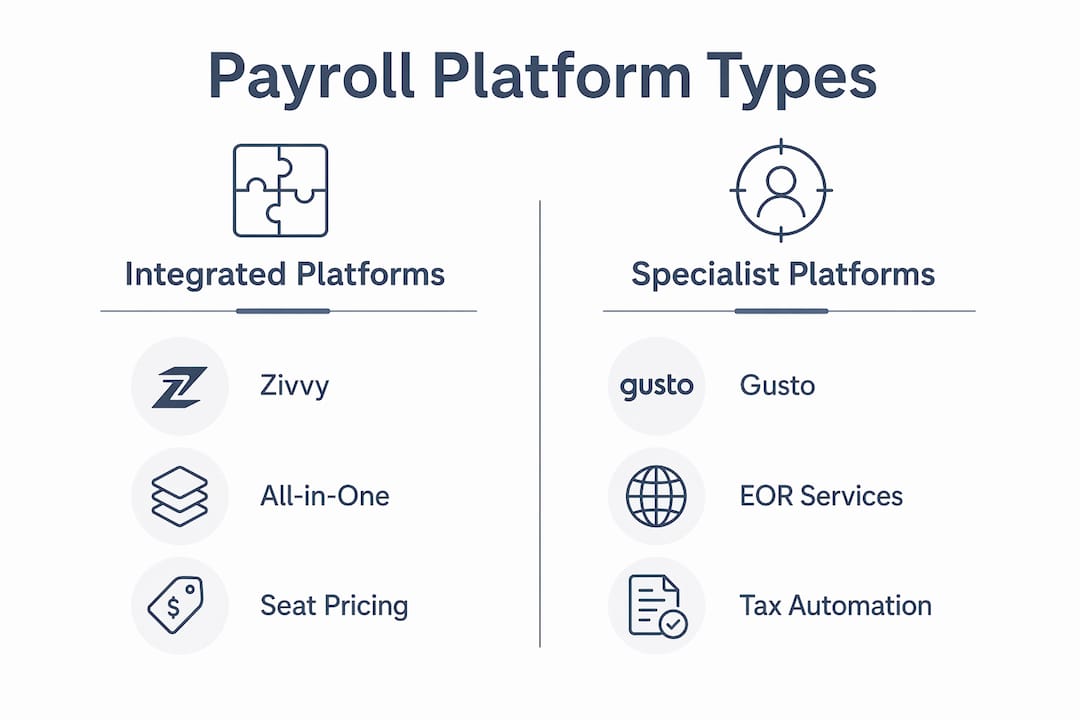
Reading the matrix: “Full” support means the feature is included in the standard plan with no extra configuration. “Partial” means you will need an add-on, a higher pricing tier, or a third-party tool to get full coverage. For compliance dimensions like multi-state tax filing, “partial” is a meaningful gap.
Hidden fees to check before you sign:
- Setup or implementation fees (common in enterprise platforms)
- Per-state registration fees when entering new states
- EOR country surcharges (these vary widely and can double the per-employee cost in some regions)
- Premium support tier fees (some platforms charge extra for a dedicated account manager)
- Off-cycle payroll run fees (Gusto includes unlimited runs; not all platforms do)
How do you choose the right payroll system for your startup?
Treat this as a five-step procurement playbook. A small startup can move through all five steps in two to six weeks.
-
Prepare your inputs (Week 1). Collect your federal EIN, state tax account numbers for every state where you have employees, a list of all W-2 employees and 1099 contractors, your current benefit plan documents, and any existing payroll history you need to migrate. Missing any of these will stall your onboarding. Review your internal controls for payroll before the first vendor call.
-
Shortlist and demo (Week 1–2). Narrow to two or three platforms based on your primary constraint: US-only vs. international hiring, accounting integration priority, or headcount trajectory. During demos, ask these questions directly:
- What is your implementation SLA for a team our size?
- Do you handle state tax registrations, or does our team file separately?
- Who owns the tax filings if there is an error?
- Which countries does your EOR cover, and what are the per-country fees?
- What does your data export look like if we switch providers?
- What is your support SLA for a payroll error on payday?
-
Run a trial payroll (Week 2–3). Most platforms offer a test payroll environment. Run one complete payroll cycle before committing. Verify that tax calculations match your prior records, that integrations with your accounting tool post correctly, and that employee self-service works as advertised. Platforms that automate state registrations and handle compliance in the background reduce the risk of missed filings significantly.
-
Validate compliance coverage (Week 3–4). Confirm multi-state tax registration support for every state where you have or plan to have employees. Ask for written confirmation of who files and who is liable. Hidden or add-on fees for state registrations are a recurring driver of higher total cost of ownership.
-
Cut over (Week 4–6). Run one parallel payroll cycle on both the old and new systems before decommissioning the old one. Migrate employee records, verify direct deposit details, and confirm benefit deductions carry over correctly. Assign your internal owner to sign off on the first live run.
Red flags to walk away from:
- No clear answer on who files multi-state taxes
- Vague or verbal-only pricing (no written fee schedule)
- No test payroll environment available before purchase
- Poor or slow data export (you need clean records if you ever switch again)
- Implementation timelines longer than eight weeks for a team under 50 people
Modeling your total cost of ownership:
| Cost component | What to ask | Typical range |
|---|---|---|
| Base platform fee | Monthly or annual flat fee | up to $150/month |
| Per-employee fee | Fee per active employee per month | $6–$50/employee/month |
| EOR fees | Per-employee per country | Varies by country and provider |
| Add-ons | Benefits admin, time tracking, premium support | up to $50/month per add-on |
| Setup / implementation | One-time fee | up to $500 |
For international hiring, the difference between flat-rate enterprise pricing and region-based EOR pricing matters. Region-based EOR pricing often maps more closely to statutory employment costs and can be more cost-effective in countries with lower labor overhead.
Pro Tip: Build your TCO model in a spreadsheet before your first demo. Vendors will negotiate more readily when you can show them a line-by-line cost comparison.
Why Zivvy fits founder-led startups better than a point solution
Most payroll point solutions solve one problem well and create three new integration problems. Zivvy’s design premise is different: payroll, HR, accounting, sales, and inventory share a single data layer, so a new hire added in HR automatically flows into payroll and accounting without a manual sync.
Features that matter to startups specifically:
- Seat-based pricing with no forced modules — you activate what your team needs, not a pre-packaged bundle
- Automated bank reconciliation that connects payroll runs directly to your general ledger
- Native integrations with Slack, Stripe, HubSpot, Shopify, Salesforce, QuickBooks, Xero, and Zapier
- Employee onboarding that provisions payroll context, tool access, and HR records in one flow
- DATEV export, digital signing, and API/webhooks for teams with custom workflows
- A free tier for early-stage teams, with paid Pro and Business plans that scale by seat count
Zivvy’s seat-based model means your software cost grows proportionally with your team, not in sudden jumps when you cross a headcount threshold. A five-person team pays for five seats. When you hire your tenth person, you add a seat. There are no surprise tier upgrades because you added one employee.
Implementation for most founder-led teams under 25 people runs one to two weeks. The first 30 days typically look like this: Week 1 is data migration and configuration; Week 2 is a test payroll run and integration validation; Weeks 3–4 are live payroll with your internal owner monitoring exceptions. Zivvy’s HR and operations integration means onboarding a new hire and setting up their payroll record happen in the same workflow.
One honest limitation: if your startup is hiring full-time employees in 10 or more countries simultaneously and needs deep local legal expertise in each market, a dedicated global EOR specialist with country-specific legal teams may cover more ground than Zivvy’s native payroll module. In that case, Zivvy still handles your US payroll and back-office operations while the EOR manages international employment.
Key Takeaways
The strongest payroll decision a startup can make is choosing an integrated platform early, before compliance gaps accumulate and replatforming becomes expensive.
| Point | Details |
|---|---|
| Assign ownership first | Designate one internal owner for payroll before any vendor demo or trial begins. |
| Match platform to hiring geography | US-only teams need strong domestic tax automation; international teams need EOR coverage from day one. |
| Model total cost of ownership | Base fees, per-employee charges, EOR surcharges, and add-ons together determine real cost. |
| Run a parallel payroll cycle | Always run one test cycle on the new platform before decommissioning the old system. |
| Zivvy for integrated operations | Zivvy combines payroll, HR, and accounting in one seat-based platform built for founder-led startups. |
The payroll decision most founders get wrong
The conventional wisdom is that payroll is an admin function you set up once and forget. That framing is what gets startups into trouble. Payroll is actually the operational system that touches every other part of your business: your accounting reconciliation, your HR records, your contractor relationships, your state tax registrations. When it lives in a silo, every other system has to compensate.
What most articles on startup payroll understate is the replatforming cost. Switching payroll providers after you have 30 employees, three states, and a benefits plan in place is a multi-week project with real risk of a missed payroll cycle. The founders who avoid that pain are the ones who chose a platform with room to grow in the first place, not the cheapest point solution that fit their five-person team in month two.
The practical tip that actually helps: run one parallel payroll cycle before you cut over. It sounds obvious until you watch a busy week compress into a single day and someone skips the parallel run. That one cycle is your safety net.
On the EOR question: if you are hiring your first international employee, a dedicated EOR is almost always the right call for the first one to three hires. Once you have a pattern and a volume, it is worth evaluating whether a native global payroll module inside your main platform covers the countries you actually use.
Zivvy gives founder-led startups one less system to manage
Founders who have consolidated payroll, HR, and accounting into Zivvy consistently report the same thing: the operational clarity that comes from a single system of record is worth more than any individual feature. You stop reconciling between tools and start running your business.
Zivvy is built for founder-led startups that want payroll, HR, and accounting in one place without paying for modules they do not use. The seat-based pricing scales with your team, the free tier lets you start without a commitment, and the paid plans unlock the full integrated stack as you grow. If you want to see how it fits your current setup, the Zivvy product tour walks through a 30-minute configuration review and covers migration from your current payroll provider. Start there, bring your current payroll inputs, and you will leave with a clear picture of what switching actually involves.
Helpful sources for your payroll evaluation
Use these resources during your vendor evaluation and implementation planning. Save copies of vendor SLAs and data export samples during procurement.
| Resource | What to use it for |
|---|---|
| Gusto startup payroll page | Review feature bundles, pricing tiers, and US compliance coverage details |
| Remote for startups | Understand global HR and EOR pricing, startup discounts, and international hiring workflows |
| CNBC Select payroll roundup | Independent editorial comparison of payroll services across feature categories |
| Warp for startups | Review automated state registration and compliance automation as a benchmark for what modern platforms offer |
| Shor global payroll | Compare flat-rate vs. region-based EOR pricing models before committing to an international payroll vendor |
| Zivvy features page | Full list of Zivvy’s payroll, HR, accounting, and integration capabilities |
| Zivvy for startups | Zivvy’s founder-led startup positioning and use-case fit |
| IRS Employer Tax Guide (IRS.gov) | Authoritative source for federal payroll tax obligations, deposit schedules, and filing requirements |
| Your state’s Department of Revenue or Labor website | State-specific tax account registration requirements and filing deadlines |
Before your first vendor demo: download your current payroll provider’s data export and confirm the format. If a new vendor cannot import it cleanly, that is a migration risk worth pricing before you sign.